


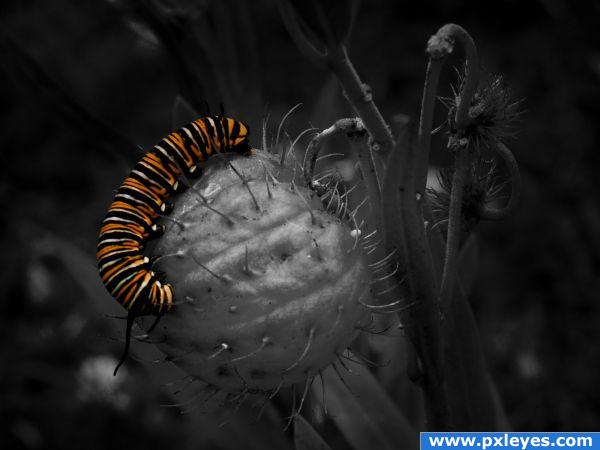

My own photo. (5 years and 3949 days ago)


 hope to see more this time.. ( 5 years and 3949 days ago ) ( 5 years and 3948 days ago ) ( 5 years and 3946 days ago ) ( 5 years and 3945 days ago )
  ( 5 years and 3943 days ago ) I need to see the outlines of them all to be able to tell how everyone did.....and I really don't think I'll have enough time. lol ( 5 years and 3941 days ago )
 Howdie stranger!
If you want to participate in this contest, just:
LOGIN HERE or REGISTER FOR FREE
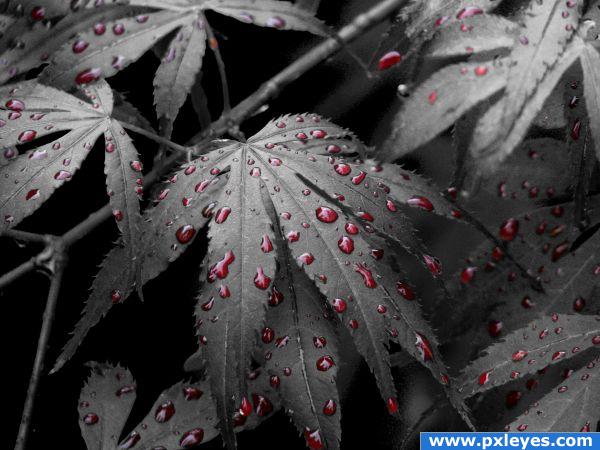
I gave it this title cos thats what i see :D
First of all I made a duplicate layer of the bush then used turned it black and white !!
Then made a layer mask ,I used a normal solid brush and painted the rain drops out on the black and white image to reveal the coloured image under it .
Once I had done that i selected the mask layer (Ctrl+click) then went to select >inverse ,then select>modify>feather for 2 next select>modify>contract for 1
(5 years and 3949 days ago)
Photography and photoshop contests
We are a community of people with
a passion for photography, graphics and art in general.
Every day new photoshop
and photography contests are posted to compete in. We also have one weekly drawing contest
and one weekly 3D contest!
Participation is 100% free!
Just
register and get
started!
Good luck!


© 2015 Pxleyes.com. All rights reserved.









 ..
.. 




















great one, this picture has fantastic depth

Good image choice, nice crop! Background might be just a tad lighter...


PS: Author, it's a caterpillar, not a grub, and if you don't mind, could you PM me and tell me what it's feeding on, if you know? I don't think I've ever seen that plant, and I'm sort of an amateur plant/insect freak.
A great image to work with.. very nicely done
this is pretty, i like the photo choice and the detail in the grub is lovely. goodluck author.
Mmmm. Tastey protein.
Looks really good, great job!
Thanks everyone, CMYK I don't know what it was feeding on, the plant looked like a weed to me and yes, it's a caterpillar from a Monarch butterfly
EDIT: I just found this for you CMYK, it's commonly called a swan bush or balloon cotton bush or a heap of other things.
http://www.ubcbotanicalgarden.org/potd/2007/11/gomphocarpus_physocarpus.php
Wonderful choice...
Could have used a levels enhancement but a GREAT image all the same. I love it.
This is good
u should be a photographer nice shot


edit: i should have guessed it was u , from the old pxl i remember something that i seen and i marked u
Congrats for your first place, Megan!
Congratulations for your first place!
Congratulations for 1st
Congrats Megan!
Madamemonty...this was a beautiful entry! Congrats and well deserved!
congrats
cute pic., Congrats for First place..
Congrats, awesome shot and good job
Congrats
Congrats!! Tough competition...very well done!!
Thanks everyone
Howdie stranger!
If you want to rate this picture or participate in this contest, just:
LOGIN HERE or REGISTER FOR FREE