



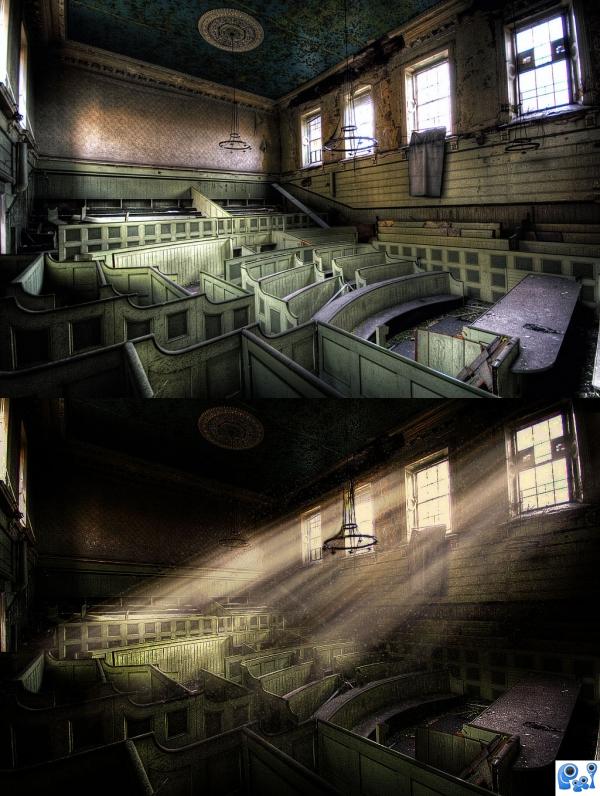


Well, here it is =)
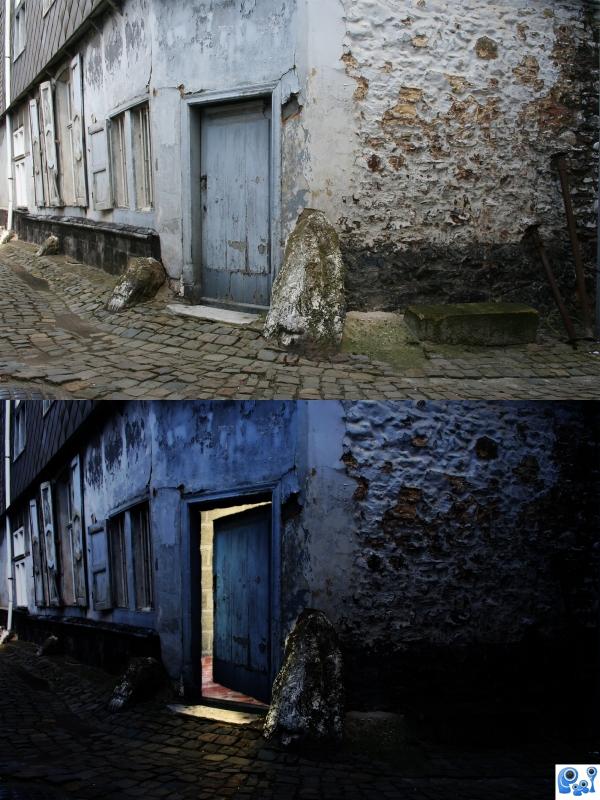
The original shot is not very inspiring, but I hope I managed to get the best out of it. =)
Check out the High-Res and SBS! =) (5 years and 3878 days ago)
1 Source:


 ( 5 years and 3880 days ago )
 Howdie stranger!
If you want to participate in this contest, just:
LOGIN HERE or REGISTER FOR FREE
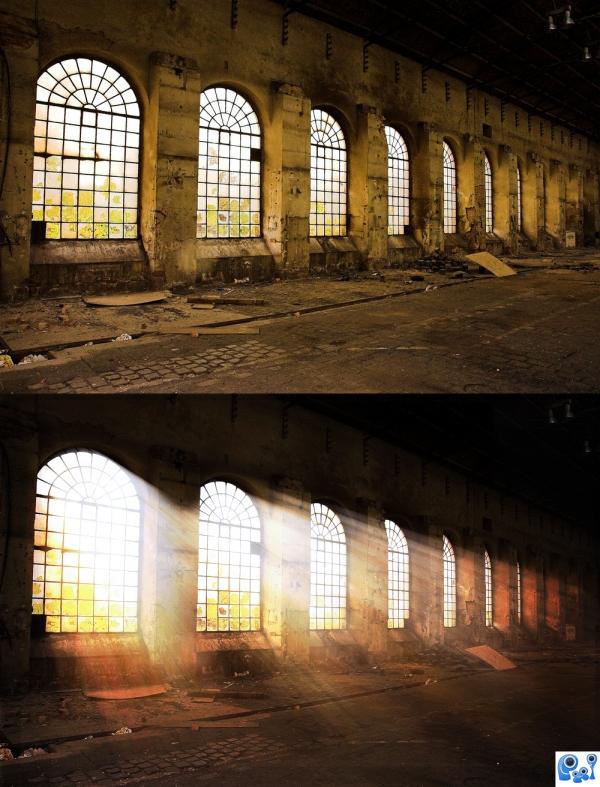
OK, I haven't prepared a SBS, but the techniques I used are easy to explain, so:
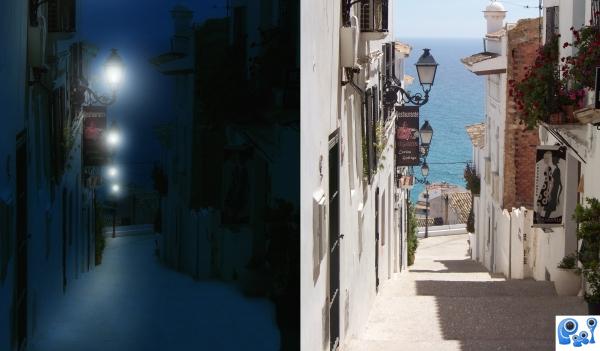
1. duplicated the layer, tweaked brightness and contrast, and left the windows only. Then radial zoom blur at the top right corner of the image, and I got the rays effect by putting the layer to Linear Dodge (Add).
2. Tweaked Brightness, contrast a bit, did a little burning and dodging at some places etc.
3. Just some final touches like sharpening and colour filter.
And done! Not very hard to do if you have the idea, but nice, you must admit. =) (5 years and 3876 days ago)
Photography and photoshop contests
We are a community of people with
a passion for photography, graphics and art in general.
Every day new photoshop
and photography contests are posted to compete in. We also have one weekly drawing contest
and one weekly 3D contest!
Participation is 100% free!
Just
register and get
started!
Good luck!


© 2015 Pxleyes.com. All rights reserved.


 Get what the poet's trying to say? =D







 Yes, Pixelkid, I thought if the light wasn't strong enough and being the door half closed, the light couldn't go too far








Doh, the jpeg compression made it look a bit to 'sharp' or sth o.O =)
Great job.. very natural looking lighting. Good luck!
Very very good work. I like it, congrats for this work.
Thanks everyone =)
Well done indeed
Yeah a great job author, nice atmosphere!
Tnx =)
Nice mood created here...excellent work. It would be great if you could brighten right side of chandelier too.
Thanks. Oh, and abt the chandelier, well, it's already brightened on the right side, bit it's not that noticeable bcs of the contrast with it's surroundings. I'll see to do some more brightening on it too, thanks! =)
Love this one, the dust in the light adds some realism. Top effort!
Great, looks so realistic!
Congrats, this really is well done
Congrats
Tnx!
Congrats!
Congrats!!
Howdie stranger!
If you want to rate this picture or participate in this contest, just:
LOGIN HERE or REGISTER FOR FREE