



step 1 of 17
step 2 of 17

step 3 of 17
Color balance: red +51, gree +27, yellow -48.
Gradient map:
Black-brown-yellow-white
Gradient map:
Black-brown-yellow-white

step 4 of 17
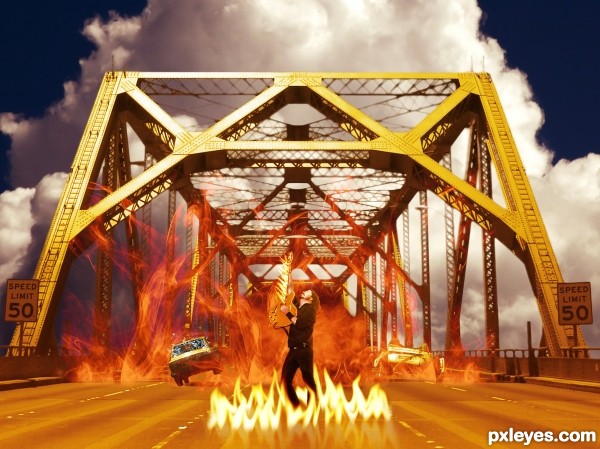
Place up side down car, copy the car on the left and tilt it. Hide the original car with clone tool. Redo the shadow painting.

step 5 of 17

step 6 of 17
Gradient map the clouds (now a ball of fire)From a very dark red to orange

step 7 of 17
Place image of shuttered glass
and flying glass.
and flying glass.

step 8 of 17
Place the other smoke source, duplicate to fill the bridge, blending mode lighten.

step 9 of 17

step 10 of 17
Again gradient map, same as before.

step 11 of 17
Mask and place the image of Dave Grohl.

step 12 of 17
Turn down saturation, Inner shadow in an orange color and gradient map as the background.

step 13 of 17
Place flames made with smudge tool. At the end of the SBS I'll show how.

step 14 of 17
Make reflection under the flames: duplicate flames layer, flip vertically, opacity 30%.

step 15 of 17
Put flames on the guitar.

step 16 of 17
Warp flames.

step 17 of 17

Final result

Pxleyes
Photography and photoshop contests
We are a community of people with
a passion for photography, graphics and art in general.
Every day new photoshop
and photography contests are posted to compete in. We also have one weekly drawing contest
and one weekly 3D contest!
Participation is 100% free!
Just
register and get
started!
Good luck!
Follow us:








© 2015 Pxleyes.com. All rights reserved.