



Original image
step 1 of 13
Cut out fungus

step 2 of 13
Imported image.
http://mrg.bz/ltp3dh
http://mrg.bz/ltp3dh

step 3 of 13
Cut around face using lasso and feather

step 4 of 13
Flip, distort and resize

step 5 of 13
Begin the blending in of the face and fungus

step 6 of 13

step 7 of 13

step 8 of 13

step 9 of 13
Duplicate image and crop

step 10 of 13
duplicate and desaturate layer

step 11 of 13
rub out where eyes are.

step 12 of 13
Duplicate image and use hdr toning to detail etc, then import back to image.

step 13 of 13
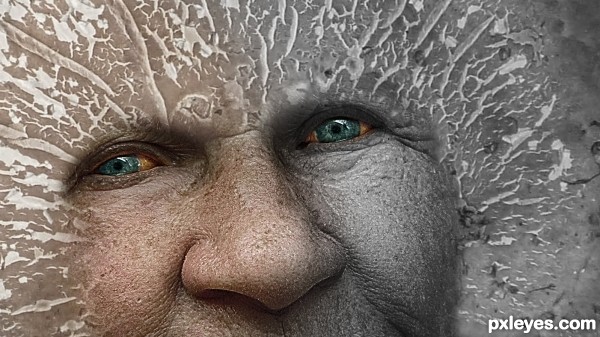
Duplicate grayscale image and use lasso tool and feathering to cut for the colour half. Then finally add 39 percent opacity to the bw hdr toned image.

Final result
Pxleyes
Photography and photoshop contests
We are a community of people with
a passion for photography, graphics and art in general.
Every day new photoshop
and photography contests are posted to compete in. We also have one weekly drawing contest
and one weekly 3D contest!
Participation is 100% free!
Just
register and get
started!
Good luck!
Follow us:








© 2015 Pxleyes.com. All rights reserved.