



Original image
step 1 of 9
Painted in a shadow color, blurred it, set layers to multiply.

step 2 of 9
Duplicate the layer, desaturated it, positioned it above the original layer.

step 3 of 9
Softly erased the part of her face on the right.

step 4 of 9
Warped the clock sourceimage to her right eye. Enhanced that eyelash with a brush.

step 5 of 9
Warped the clock again onto the side of her face. Adjusted blending mode.

step 6 of 9
Used the ellipse tool to make a selection of her eye, copied it and pasted in a layer above. Adjusted color.

step 7 of 9
Used the patch tool to extend the reflection of the sun up and into her eye, then liquified the top area to go around her eye. Adjusted opacity.

step 8 of 9
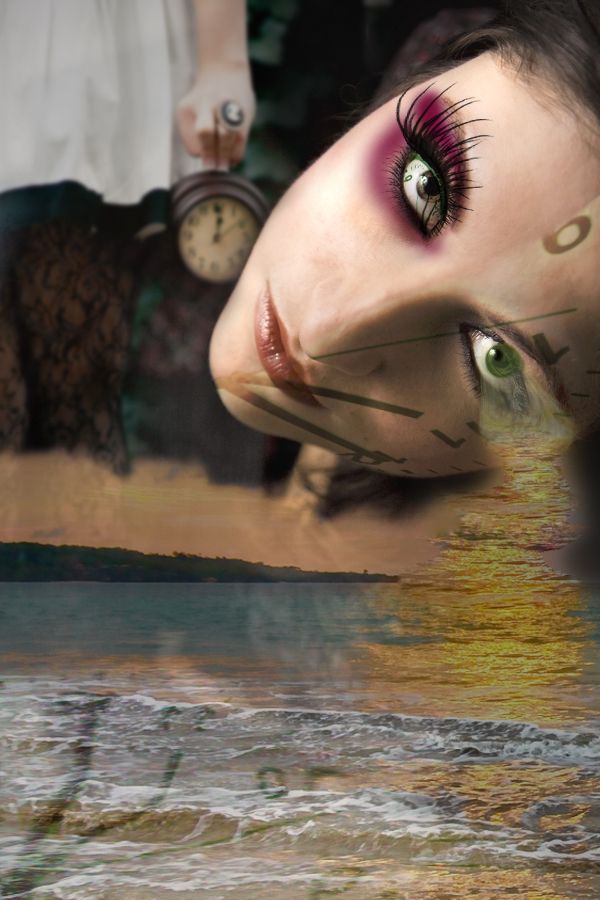
Set the clock to soft light and added noise and gave it a motion blur.

step 9 of 9
Liquified the clock to blend in with the roll of the waves. Readjusted opacity and blending mode.

Final result
Pxleyes
Photography and photoshop contests
We are a community of people with
a passion for photography, graphics and art in general.
Every day new photoshop
and photography contests are posted to compete in. We also have one weekly drawing contest
and one weekly 3D contest!
Participation is 100% free!
Just
register and get
started!
Good luck!
Follow us:








© 2015 Pxleyes.com. All rights reserved.