step 1 of 15
First gorilla is chopped and scaled to size and set over the lighthouse source. Both have been set at 200 dpi resolution.
step 2 of 15
Second gorilla is chopped and inserted.
step 3 of 15
Chopping around gorilla hair done with discontiguous setting.
step 4 of 15
Second gorilla further chopped with eraser tool.
step 5 of 15
Gorilla placed where she will be inside the lighthouse.
step 6 of 15
Opacity changed to 45% for gorilla, so that bars can be removed with eraser tool.
step 7 of 15
Bars in front of girl gorilla have been removed.
step 8 of 15
Gorilla on outside has opacity lowered to remove railing .
step 9 of 15
Opacity is back to 100% on gorilla, then filter render at 72% is added behind the light to make it glow.
step 10 of 15
Hue and saturation of lighthouse are changed to give it the look of late evening or nighttime.
step 11 of 15
Bow is chopped from package in source, and placed on girl gorilla's head, using edit/transform/distort to fit head.
step 12 of 15
Left hand and arm are chopped out of 3rd gorilla source and added, merging with clone tool, then merging layers.
step 13 of 15
Gorilla sitting in front is duplicated, given yellow brown layer, then edges are trimmed with airbrush eraser to get glow from the light.
step 14 of 15
Light rays are added with 17% airbrush.
step 15 of 15
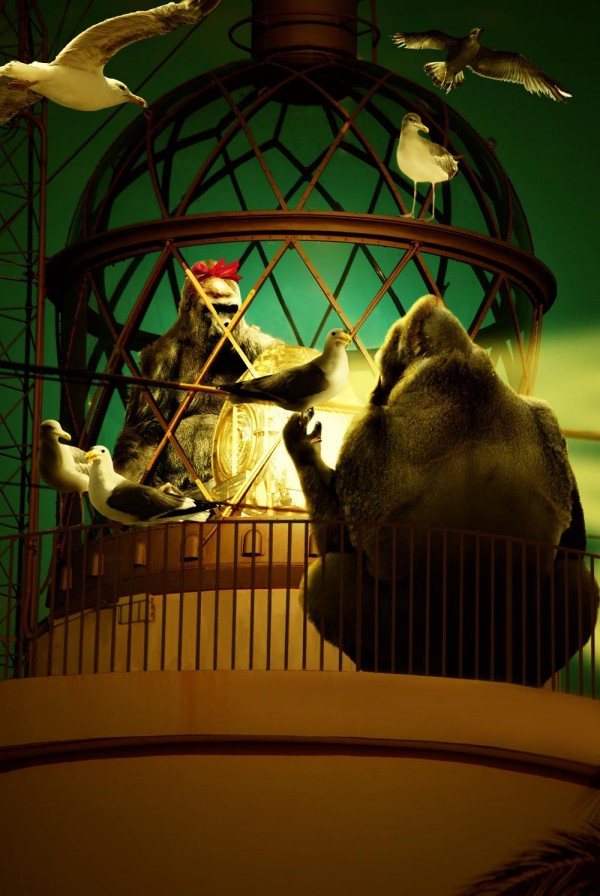
Gulls are added, duplicating some, taking legs off some, to fit where I wanted them. Finally a layer of yellow brown is laid over merged scene.