



Original image
step 1 of 15
My photo

step 2 of 15
To recreate the look of a photograph, i applied a heavy dust and scratches filter

step 3 of 15
Gaussian blur, layer set to lightend and some masking, dodging and burning.

step 4 of 15
A white border was applied,and using photoshop's default splatter brushes, i created the grungey style border

step 5 of 15
My photo

step 6 of 15
Finished

step 7 of 15
My photo

step 8 of 15
finished

step 9 of 15
My photo

step 10 of 15
finished image

step 11 of 15
background and sky added to a blank file

step 12 of 15
Some adjustments and colour matching

step 13 of 15
Source added

step 14 of 15
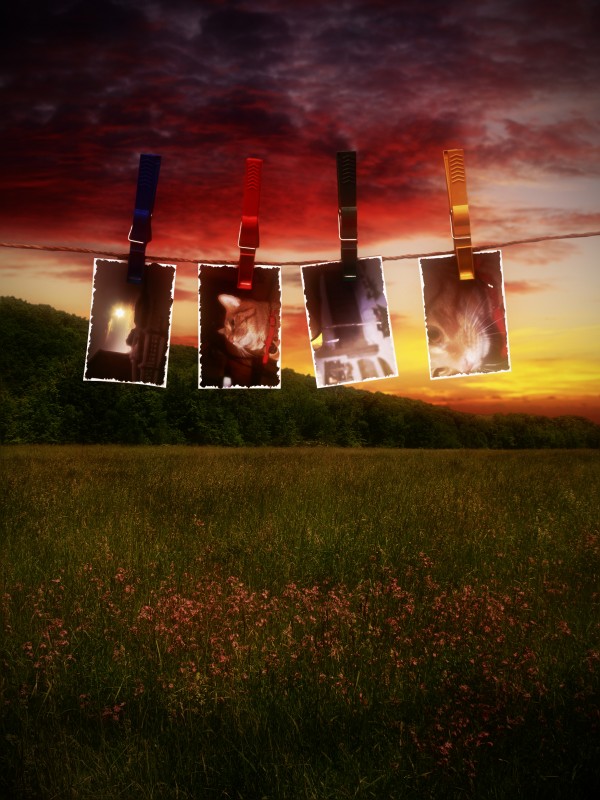
Each image was added to the source

step 15 of 15
Lighting adjustments, shadows etc.

Final result
Pxleyes
Photography and photoshop contests
We are a community of people with
a passion for photography, graphics and art in general.
Every day new photoshop
and photography contests are posted to compete in. We also have one weekly drawing contest
and one weekly 3D contest!
Participation is 100% free!
Just
register and get
started!
Good luck!
Follow us:








© 2015 Pxleyes.com. All rights reserved.