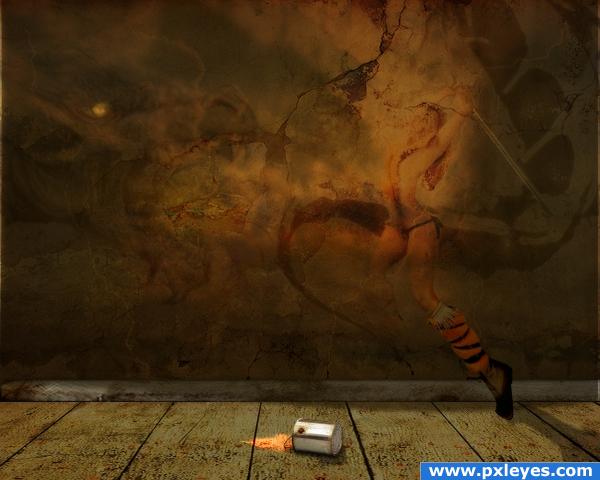
step 1 of 19
Dragon Brushes by =GoldDragonfly at deviantart.com

sources used for this step:
step 2 of 19
more Dragon Brushes by *DusterAmaranth at deviantart.com
I dodged and burned layers underneath to create the illusion of fire....and i also did the same to parts of the brushes, as well as layering them to blend....

sources used for this step:
step 3 of 19
shadow for female model yet to come...just a duplicate of her leg, stretched and warped and on lowered opacity.
step 4 of 19
masked out my female warrior from the image "Tribal fighter" - 11 by *mjranum-stock at deviantart.com, also known as Marcus J. Ranum, who's personal website is listed below.
I layered her on color dodge, and did a little dodging/burning/blurring to blend her in...

sources used for this step:
step 5 of 19
Original image "Tribal fighter - 11" by *mjranum-stock at deviantart.com, also known as Marcus J. Ranum, who's personal website is listed below.

sources used for this step:
step 6 of 19
duplicated warrior, layered and lowered opacity....
step 7 of 19
duplicated shoe to make it seem more apparent, darkened levels, and blended
step 8 of 19
paint spill done using a drip brush, orange fill, i distorted and layered.
step 9 of 19
shadow for paint can done using a black fill, warped, on lowered opacity.
step 10 of 19
masked out paint can from "Paint Can" by House Of Sims' on Flickr

sources used for this step:
step 11 of 19
original image "Paint Can" by House Of Sims' on Flickr

sources used for this step:
step 12 of 19
my own image of clouds, placed over other layers with darkened levels, blended on lower opacity.
step 13 of 19
my original image of clouds...should be in my stock, if not, i'll put it there.
step 14 of 19
i created a lens flare on a black fill layer, cut out a circular section of the flare, and layered it over the dragon's eye....to create a semi-glow.
step 15 of 19
first texture i placed for wall...adjusted colors and stuff....this texture is Plaster Old 0021 and the link directly to the texture is: http://cgtextures.com/texview.php?id=7162&PHPSESSID=96efc0ec2c7015cf1f4f6c8bc4b31d2c

sources used for this step:
step 16 of 19
second texture..i applied lightning filter and burned out the areas where the model is....
This Texture Is WoodPainted 0084 and the link directly to the texture is: http://cgtextures.com/texview.php?id=5706&PHPSESSID=96efc0ec2c7015cf1f4f6c8bc4b31d2c

sources used for this step:
step 17 of 19
used a straight piece of wood, cut from a wood texture from cgtextures.com, placed as baseboard...this texture is Wood Ends 0019 and the direct link is: http://cgtextures.com/texview.php?id=4600&PHPSESSID=96efc0ec2c7015cf1f4f6c8bc4b31d2c

sources used for this step:
step 18 of 19
duplicated and overlayed...

sources used for this step:
step 19 of 19
used another wood texture, distorted, and adjusted levels...for the floor.

sources used for this step: