



Original image
step 1 of 17
extracted the bird house frrom the background

step 2 of 17
corrected the perspective with the freetransform tool

step 3 of 17
made a copy of the same layer

step 4 of 17
used the selection tool and copied a part of the room to patch up the roof

step 5 of 17
cleaned up the steps with the clone tool

step 6 of 17
cleanedup the joins of the stones

step 7 of 17
used this photo from CMYK stock collection

step 8 of 17
used the channels to select and removed unwanted background

step 9 of 17
placed the building behind the trees

step 10 of 17
Used the burn tool to give shadow

step 11 of 17
created a new layer and used the standard leaf brush in Photoshop changed the foreground colour to a dark green and painted the leaves

step 12 of 17
used this image of steps which is mine

step 13 of 17
played with the levels and used sharpen filter to clean up the steps

step 14 of 17
masked off unwanted source and used the burn tool to darken the steps

step 15 of 17
placed the forest image in the back ground

step 16 of 17
then placed the forest that i had selected from previous steps

step 17 of 17
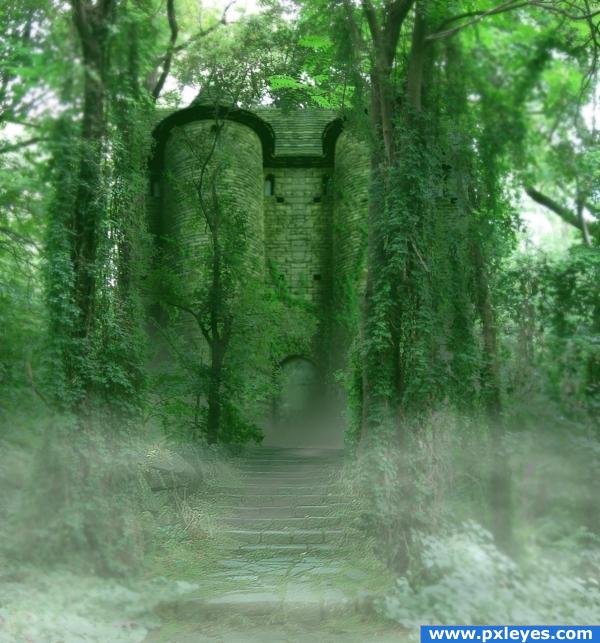
add 3 seperate layers 2 at the front for the misted and one behind the steps to be near the door

Final result

Comments
Pxleyes
Photography and photoshop contests
We are a community of people with
a passion for photography, graphics and art in general.
Every day new photoshop
and photography contests are posted to compete in. We also have one weekly drawing contest
and one weekly 3D contest!
Participation is 100% free!
Just
register and get
started!
Good luck!
Follow us:








© 2015 Pxleyes.com. All rights reserved.
Clearly written, good step by step instruction and images, excellent final image.
(5 years and 4006 days ago)