



Original image
step 1 of 20
Separated the sphere from the background.

step 2 of 20
Edited the sphere to give it a look of clouds inside it. Used only bush tool and some burn/dodge.

step 3 of 20
Painted a staff for the sphere.

step 4 of 20
Painted in part of a character. Just a basic hero type profile.

step 5 of 20
Finished the Hero.

step 6 of 20
Painted in a wizard's cape sort of thing.

step 7 of 20
Added a head, hat and hand to my wizard.

step 8 of 20
Added the hair.

step 9 of 20
Added a basic gradient background, then used warp tool to give it a curved effect.

step 10 of 20
Added a flat, basic background.

step 11 of 20
Added detail to the foreground. Used only brush and burn/dodge.

step 12 of 20
Added detail to the midground.

step 13 of 20
Added detail to the mid-background.

step 14 of 20
Didn't like the color scheme, so I added a little green to the background.

step 15 of 20
Added a couple moons and stars. Used brush, marquee, masks and cloud filters.

step 16 of 20
Added some adjustment layers to give more of a night time effect.

step 17 of 20
Added a sphere and made it look like it was sunk into the ground.

step 18 of 20
Added a second sphere and made some color corrections to the first one.

step 19 of 20
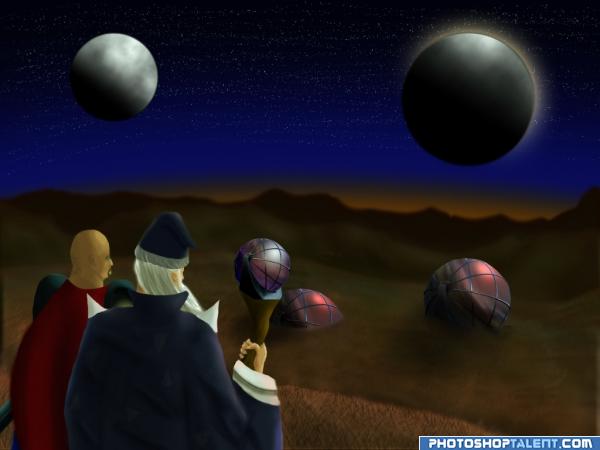
Sunk the second sphere, added some shading and some adjustment layers.

step 20 of 20
Fixed the star showing through the moon problem and added some extra color effects.

Final result
Pxleyes
Photography and photoshop contests
We are a community of people with
a passion for photography, graphics and art in general.
Every day new photoshop
and photography contests are posted to compete in. We also have one weekly drawing contest
and one weekly 3D contest!
Participation is 100% free!
Just
register and get
started!
Good luck!
Follow us:








© 2015 Pxleyes.com. All rights reserved.