


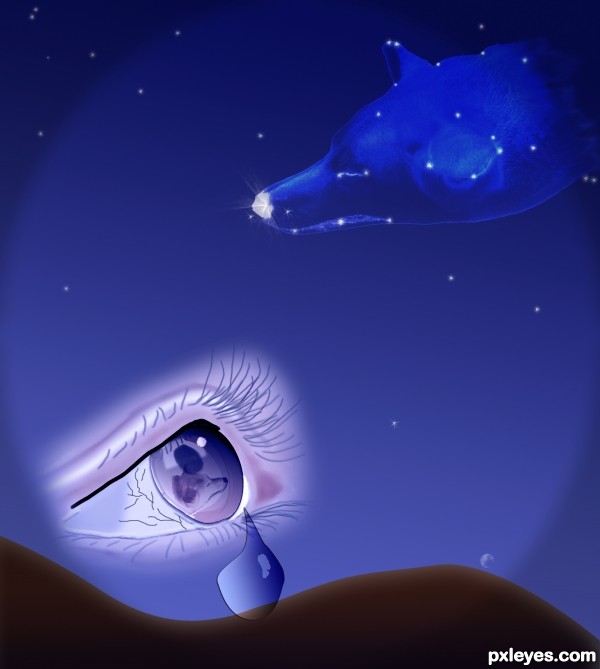
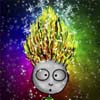
I selected the dog's head and lengthened it, prepared it (glowing edge 9, 12, 5.) and placed it in a sky (simple gradient) Blending mode on dog layer: Luminosity, 62% opacity. On separate layers I created the stars with Photoshop brushes and an outer glow.
I drew and painted the eye from a sketch, using a variety of bushes etc. On a separate layer I placed the selection of the dog, reduced to fit in the eye. I drew the tear (pen tool) and used: http://www.lunacore.com/photoshop/tutorials/tut006.htm to highlight both it and the eye. They were placed on the canvas. I blended the eye in using a soft eraser then duplicated it using different blending modes for each layer. Lower layer screen 43%; top layer luminosity 100%.
Again on a separate layer I made hills (pen tool/inner glow). At the very end I added some veins and shading on the eye (burn tool).
A lot of trial and error took place during the whole process!
(5 years and 2606 days ago)











 His face is just perfect. Good luck again!












Nice idea...just make the lower part of the tear transparent too.
Thank you for your comment CMYK46. I'm really glad you like it!
You are quite right , if you take it literally the tear should be transparent. (I hadn't thought of that: I actually cut out the hill so that the drop would stand out!) But then you have to take into account the refraction of the light through the drop. Is the level of the hill in the drop going to be lower or higher?
It's up to you author, but you can't have one end of the tear transparent & the other not. ;-
EDIT: Much better now. Good luck.
Howdie stranger!
If you want to rate this picture or participate in this contest, just:
LOGIN HERE or REGISTER FOR FREE