


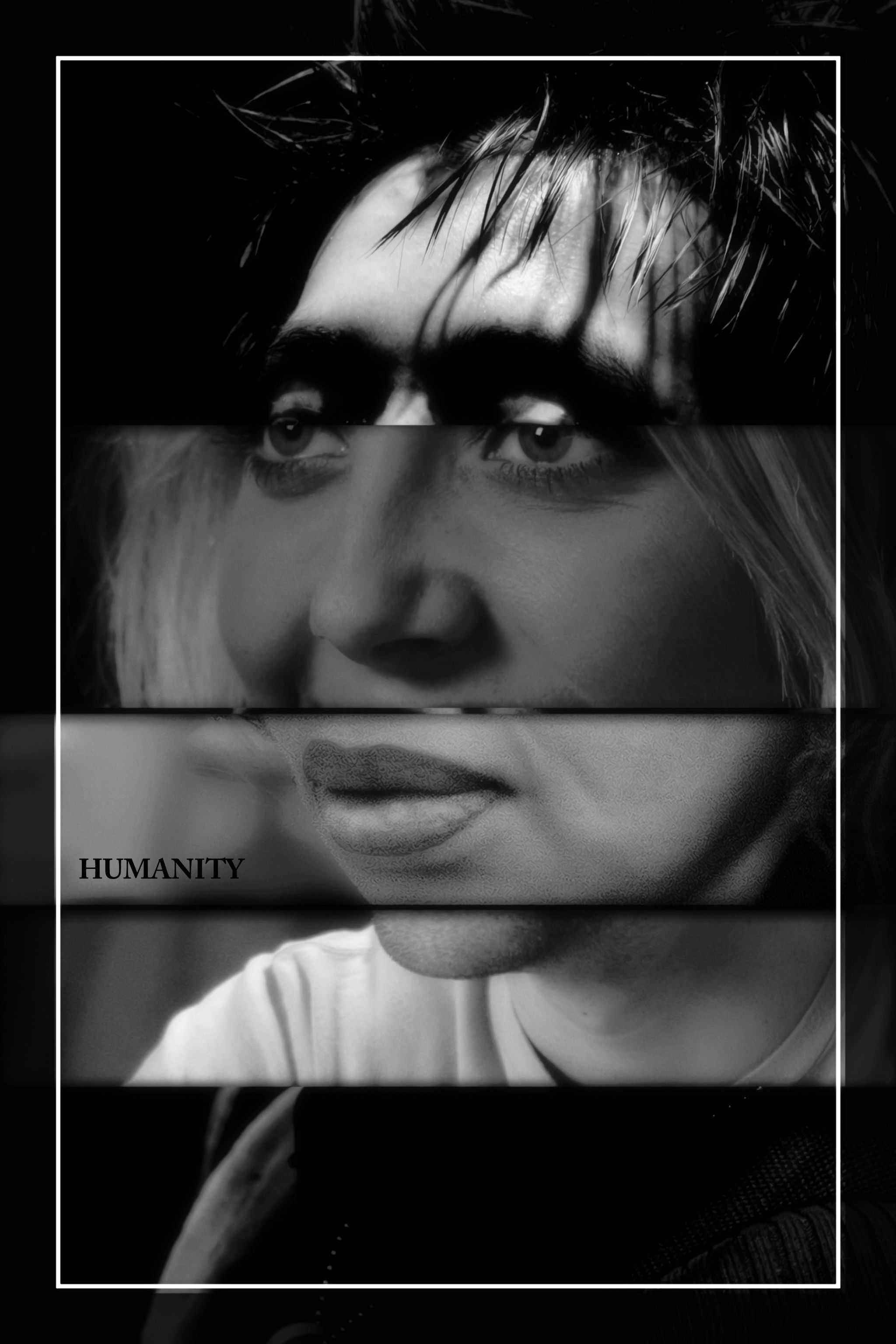
1.Layered the 4 photos with source on top and cut out parts of layers to show the right layer in the right place.
2.Removed edge of his glasses.
3.Adjusted the size of layers to make them match up to each other, clone tool to get rid of obvious discrepancies, added drop shadow to make them stand out from each other more.
4.Played with lighting and black and white effects.
5.Added text and border.
Special thanks to njelliot and kphinney for pxleyes stock photos. (5 years and 3325 days ago)








very clever good luck author
The bottom part or the third part is not fit to the remaining, you should change one of them, I think
nice idea,certain resemblance to Nicholas Cage!
nice idea
nice
Fantastic idea...gl
Very nice idea, but I agree with Langstrum.
reminds me more of the evolution chart
haha ! this one's really nice ! gl author !!
clever idea, GL!
Howdie stranger!
If you want to rate this picture or participate in this contest, just:
LOGIN HERE or REGISTER FOR FREE